Color grep for Windows
Looking for color grep for Windows? I was. I didn’t find exactly what I was looking for; instead, I found something better.
ack is a tool like grep, designed for programmers with large trees of heterogeneous source code.
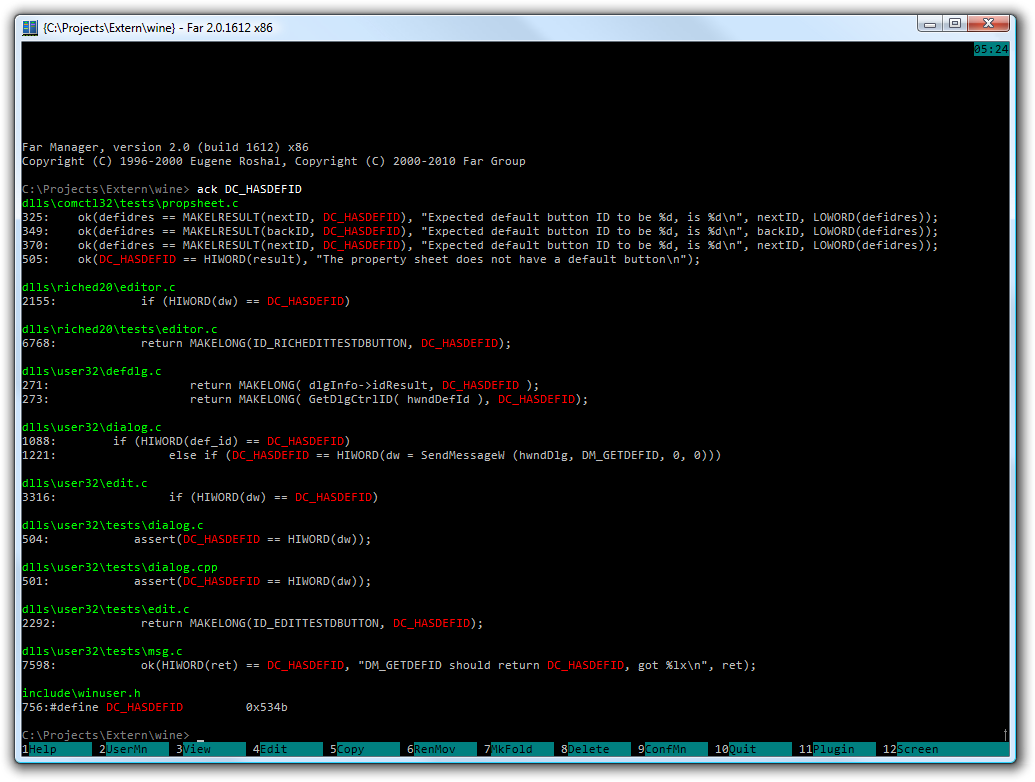
ack doesn’t enable or output colors on Windows by default. To get it all working, do the following:
- If you don’t have it yet, get ActivePerl.
- Download the standalone version of ack; save it with a
.plextension Create a batch file somewhere under
%PATH%namedack.batwhich invokes perl with ack:@C:\Perl\bin\perl.exe C:\Tools\ack-standalone.pl %*You should now be able to type
ack argumentsfrom anywhere, however this won’t get colors working right away. To do that:Install the Win32::Console::ANSI module using PPM (you’ll need to add the repository).
In
ack-standalone.pl, add this line after the other twouselines:use Win32::Console::ANSI;Create a file named
.ackrcin your user profile folder (usually C:\Documents and Settings_Username_), with the contents:--color --color-match bold red“
bold red” (which actually means bright red) is my own preference; I think it’s nicer than the default “black on_yellow”, and the default color for grep (on *nix) as well.
That’s it!